The Vibe Father
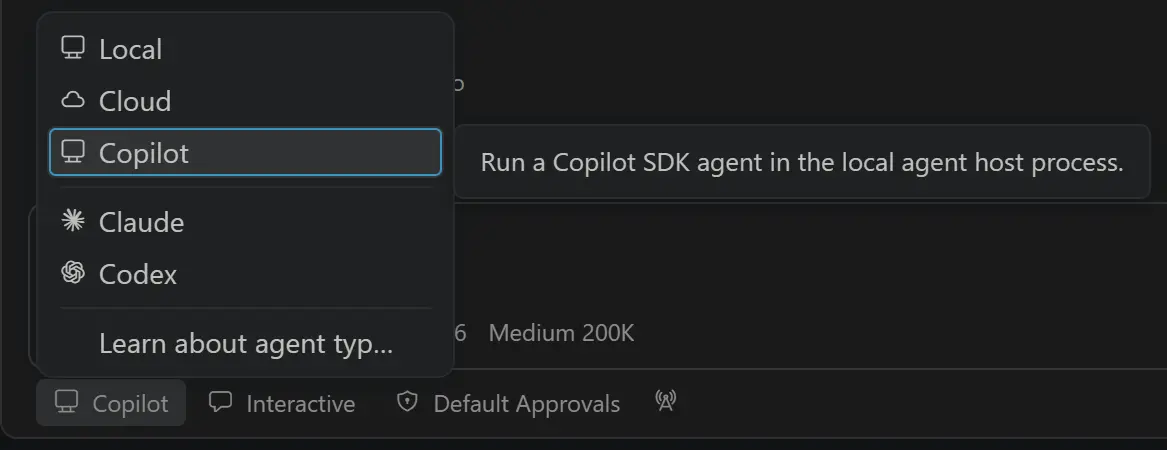
Visual Studio Code 1.129 introduced a dedicated agent host, and the industry conversation immediately split into two camps people who want agents deeper in the editor, and people who want Microsoft to stop turning the IDE into an AI dashboard. Both camps can be right about different risks. The useful move is not a culture war. The useful move is to treat the agent host as infrastructure and configure it like infrastructure.
This guide explains what a dedicated agent host changes for day-to-day coding, how to set guardrails, and how to evaluate whether your team should lean into multi-agent sessions or keep a simpler chat-and-patch workflow. It is written for people who ship software, not for people who only collect screenshots of new buttons.
Related pieces on this site the next challenge for coding agents, controlled harness design, and security-focused review automation.
Adoption intent ranking from editorial operator interviews and public product notes around VS Code 1.129.
What a dedicated agent host is for
An agent host is a process boundary for long-running, tool-using coding sessions. Instead of treating every prompt as a disposable chat turn, the host can keep state, coordinate tools, and survive more complex workflows. That architecture matters when an agent needs to read files, run tests, inspect failures, and try again without losing the thread.
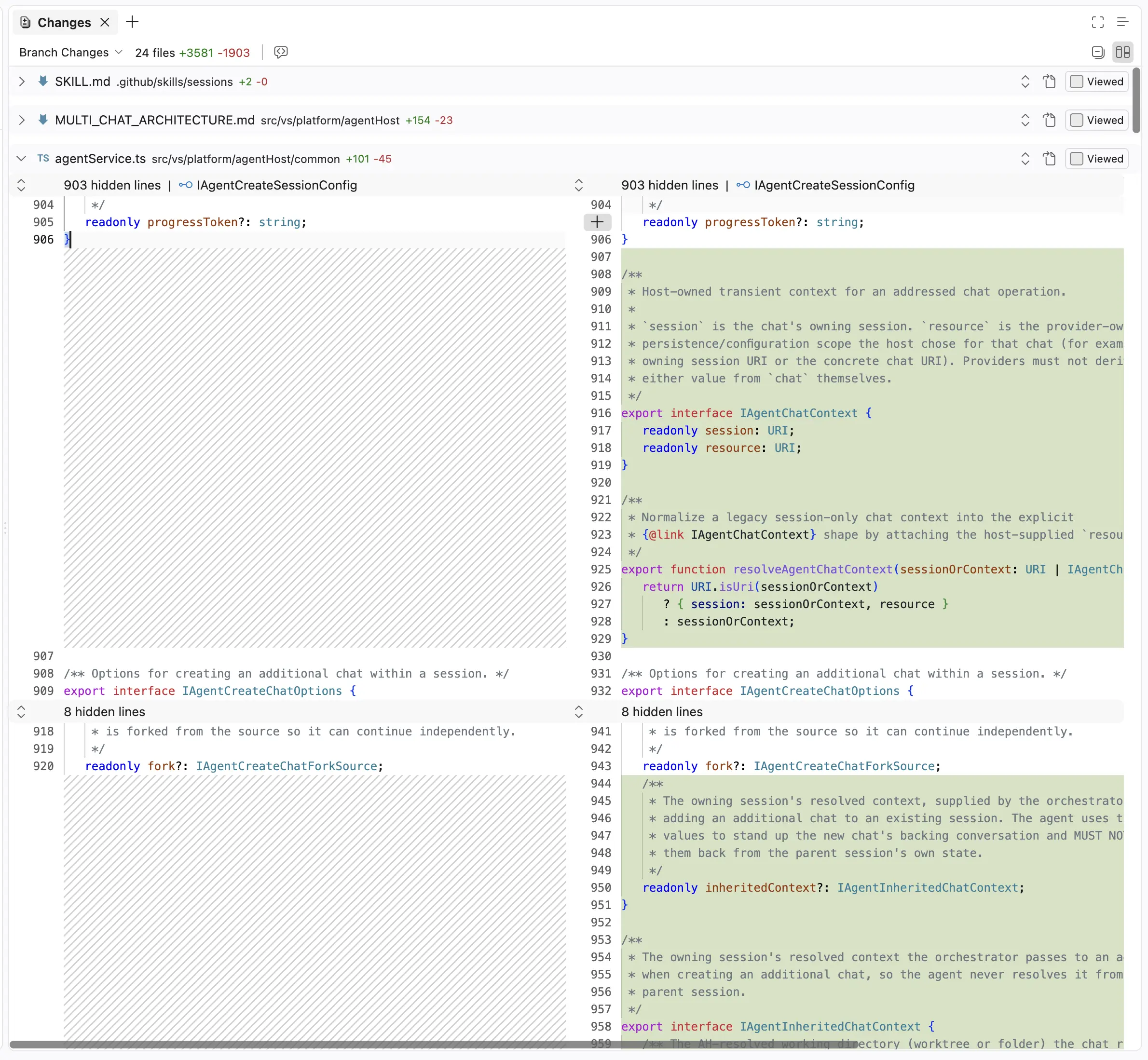
VS Code 1.129’s direction also includes practical surface area, an editor panel in the Agents window and the ability to run terminal commands from chat prompts. Those details sound small until you watch a real session. Agents that cannot see enough context thrash. Agents that can run commands without a human in the loop can thrash your tree.
So the host is both power and risk. Power because the agent can finish more of the job. Risk because the blast radius grows with every new permission.
Configure permissions before demos
The worst time to invent a permission model is during a live demo for leadership. Do it first. Decide which tools are read-only by default. Decide which commands require explicit approval. Decide whether network is allowed. Decide whether the agent may install packages. Decide whether it may touch infrastructure files.
A good default for most product teams is generous read access, cautious write access, and strict execution access. Reading the repo is how the agent becomes useful. Writing should be reviewable. Executing shell commands should be visible and interruptible.
If your company handles sensitive data, add a second profile for regulated repositories. Do not pretend one profile fits a marketing site and a payments service.
| Action | Default | Elevated profile | Notes |
|---|---|---|---|
| Read workspace files | Allow | Allow | Still respect ignore rules for secrets |
| Edit tracked files | Allow with diff review | Allow | Keep source control visible |
| Run tests | Allow | Allow | Prefer project scripts over ad-hoc commands |
| Install packages | Ask | Allow in sandbox | Lockfiles must stay intentional |
| Production credentials | Deny | Deny | Never in developer agent host |
| Remote host start | Ask | Allow for trusted nets | Watch 1.129.x remote fixes |
Multi-agent is not automatically better
The industry is full of multi-agent demos where one agent plans, one codes, one reviews, and one writes docs. Some of that is useful. Some of it is theater that multiplies tokens and merge conflicts. Start with one competent agent and a strong harness. Add roles when you can name the failure mode each role prevents.
A review agent helps if it uses different checks than the authoring agent and if humans still own merge authority. A research agent helps if it has search tools and citation discipline. A swarm of vague agents helps mostly the cloud bill.
Measure. If two agents raise accepted task rate without raising repair time, keep them. If they mostly generate debate, simplify.
Human factors inside the IDE
There is a real complaint under the jokes about AI stuffing every IDE surface. Attention is finite. If the editor becomes a cockpit of unread badges, developers lose the quiet required for hard thought. Configure layouts so agents are available without being ambiently loud.
Also protect craft identity. Many excellent engineers feel erased when leadership talks as if agents already did the job. Be precise in language. Agents draft. Engineers accept. That sentence keeps morale honest and keeps quality ownership clear.
Teach people how to interrupt. An agent that can run terminal commands needs a big obvious stop. Panic is not a UX strategy.
Relative risk emphasis for the first 30 days of broader agent-host adoption.
A four-week adoption plan
- Week 1, enable for a pilot group with read-heavy permissions and mandatory diff review.
- Week 2, allow test commands and measure time-to-green on real tickets.
- Week 3, add one elevated profile for platform engineers with stricter logging.
- Week 4, publish defaults, anti-patterns, and a rollback path if quality drops.
During the pilot, capture stories, not only metrics. Metrics tell you the rate. Stories tell you whether people feel faster or merely busier. Both matter if you want adoption that lasts after the novelty week.
How this fits the rest of the stack
An IDE agent host is one surface. Your company may also use CLI harnesses, CI bots, and browser agents. Unify policy language across them even if the products differ. People should not need a different moral code for each window.
Cost controls belong in the same conversation. See token billing discipline. Security review automation belongs too Cisco’s vulnerability-focused review model is a reminder that generation without inspection is incomplete.
Verdict
VS Code’s dedicated agent host is a serious step toward making agentic coding a first-class IDE workload. Treat it with the same respect you give CI runners and deployment keys. Configure permissions early, measure outcomes, and refuse unsupervised production writes. Do that, and the host becomes leverage. Skip that, and it becomes a very fast way to create impressive messes.
Sources and further reading
- InfoWorld. VS Code 1.129 dedicated agent host
- Visual Studio Code updates
- InfoWorld opinion on AI-heavy IDE direction
- What is vibe coding
- Copilot usage metrics guide
Common questions
Should every developer enable the agent host on day one?
No. Pilot with clear permissions, then expand.
Is chat without tools obsolete?
No. Short chat is still best for small questions and explanations.
What is the first metric to track?
Accepted tasks with tests green, plus human repair minutes.
A practical way to keep this advice alive is to write a one-page operating note after you read a news cycle. Name the default model for each lane, the fallback provider, the private tasks that decide upgrades, and the person who can change the pin. When the next launch post arrives, open that note before you open the settings panel. Most thrash comes from changing defaults in the same hour emotions peak.
Share the note in the engineering channel and invite disagreement with evidence. If someone believes a new model is better, they should run the suite and paste the score delta, the cost delta, and one trajectory that shows why. Social proof is not a substitute for that packet. The packet also protects quieter teammates who do not enjoy arguing in public but do notice quality changes in review.
Keep a short failure diary for AI-assisted work. When a patch looks fluent and still breaks production assumptions, write three sentences, what the agent assumed, what the system actually required, and what check would have caught it. Over a month those sentences become better prompts, better tests, and better training for humans. They also become the opposite of hype, durable institutional memory.
Budget attention the way you budget tokens. Not every article, model card, or executive quote deserves a process change. Create a weekly thirty-minute review where platform owners scan only the changes that touch your default stack. Everything else can wait. This is how you stay informed without becoming a full-time launch spectator.
Finally, keep the human center of the work visible. Tools change weekly. People still carry pager pain, customer trust, and the craft of clear design. If your AI program makes those people faster at responsible work, it is succeeding. If it only increases the volume of plausible text that others must clean up, it is a costume. Measure which one you are funding and adjust without drama.
When leadership asks for a simple story, give a simple true story. We route by task. We pin revisions. We measure accepted work and repair time. We keep a backup path. We do not bet the company on a single delayed SKU or a single generous context window. That story is calm enough for a board slide and strong enough for a Monday standup.
If you manage a mixed-seniority team, pair AI rollout with explicit mentorship time. Juniors can learn quickly with agents, and they can also learn brittle habits quickly. Require them to explain why a patch is safe before merge. Require seniors to review the risky surfaces even when the diff looks tidy. The combination builds judgment instead of dependence.
Vendors will keep shipping. That is their job. Your job is to turn shipping into selective adoption. The difference is not cynicism. The difference is craft. Craft is what makes software feel reliable to the humans who never see your model names and only feel whether the product works on a busy afternoon.
A practical way to keep this advice alive is to write a one-page operating note after you read a news cycle. Name the default model for each lane, the fallback provider, the private tasks that decide upgrades, and the person who can change the pin. When the next launch post arrives, open that note before you open the settings panel. Most thrash comes from changing defaults in the same hour emotions peak.
Share the note in the engineering channel and invite disagreement with evidence. If someone believes a new model is better, they should run the suite and paste the score delta, the cost delta, and one trajectory that shows why. Social proof is not a substitute for that packet. The packet also protects quieter teammates who do not enjoy arguing in public but do notice quality changes in review.
Keep a short failure diary for AI-assisted work. When a patch looks fluent and still breaks production assumptions, write three sentences, what the agent assumed, what the system actually required, and what check would have caught it. Over a month those sentences become better prompts, better tests, and better training for humans. They also become the opposite of hype, durable institutional memory.
Budget attention the way you budget tokens. Not every article, model card, or executive quote deserves a process change. Create a weekly thirty-minute review where platform owners scan only the changes that touch your default stack. Everything else can wait. This is how you stay informed without becoming a full-time launch spectator.
Finally, keep the human center of the work visible. Tools change weekly. People still carry pager pain, customer trust, and the craft of clear design. If your AI program makes those people faster at responsible work, it is succeeding. If it only increases the volume of plausible text that others must clean up, it is a costume. Measure which one you are funding and adjust without drama.
When leadership asks for a simple story, give a simple true story. We route by task. We pin revisions. We measure accepted work and repair time. We keep a backup path. We do not bet the company on a single delayed SKU or a single generous context window. That story is calm enough for a board slide and strong enough for a Monday standup.
If you manage a mixed-seniority team, pair AI rollout with explicit mentorship time. Juniors can learn quickly with agents, and they can also learn brittle habits quickly. Require them to explain why a patch is safe before merge. Require seniors to review the risky surfaces even when the diff looks tidy. The combination builds judgment instead of dependence.
Vendors will keep shipping. That is their job. Your job is to turn shipping into selective adoption. The difference is not cynicism. The difference is craft. Craft is what makes software feel reliable to the humans who never see your model names and only feel whether the product works on a busy afternoon.